ThinkQuest Kids

    FOR FAMILIES WITH CHILDREN AGES 7–12

    Help Your Child Build Stronger
    Logic & Problem-Solving Skills

    Through short, story-led puzzle adventures, children practise spotting patterns, planning steps, testing ideas and fixing mistakes—with helpful guidance when they get stuck. No coding knowledge or extra homework needed.

    Take the free parent quiz to receive a suggested starting point, a sample mission and a recommended printable mini pack.

    Free parent quizPersonalised snapshotSample mission includedPrintable mini pack
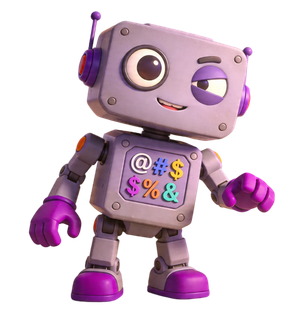
    ThinkQuest Robot Buddy
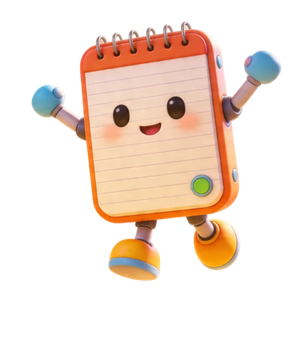
    Memo character

    AFTER THE QUIZ

    A Starting Point—and Something Your Child Can Try

    Personalised Thinking Skills Snapshot

    Get a suggested starting point based on what you tell us about your child.

    Recommended Printable Mini Pack

    Receive a printable puzzle pack by email, matched to the recommendation in your report.

    A Sample Mission to Try

    Let your child explore a mission at their suggested starting level.

    A Simple Next Step

    Try the activities and see whether your child needs an easier introduction or a bigger challenge.

    Memo
    MISSION PREVIEW

    Let Your Child Try a Puzzle

    Here is a taste of the thinking practice inside ThinkQuest Kids. Invite your child to look at the robots and work out which one is already in the right place.

    SAMPLE MISSION PREVIEWSkill: Sequencing

    Robot Parade Line-Up

    The robots are wearing number badges and must stand in order from 1 to 5. They are all mixed up—but one robot is already in the correct position. Can your child spot which one?

    1. POS 1
      3
    2. POS 2
      1
    3. POS 3
      4
    4. POS 4
      2
    5. POS 5
      5

    Complete the parent quiz to unlock a recommended sample mission.

    Free to unlock—no payment required.

    Get My Child’s Free Skills Report 🚀

    Get a personalised Thinking Skills Snapshot, a recommended printable mini pack and a sample mission to try.

    BUILT FOR FAMILIES

    Safe, Simple and Built for Families

    No third-party ads

    ThinkQuest Kids does not display third-party advertisements. Upgrade and early-access prompts may appear within the app.

    Full Access is coming soon

    Free Starter is available now. Full Access Monthly and Annual are coming soon, with access for up to four child profiles.

    Parent dashboard included

    See your child’s progress and learning insights in one place.

    Clear information about privacy

    Read our privacy policy to understand what information we collect, how we use it and how to contact us with questions.

    Play in your browser

    Use ThinkQuest Kids on supported tablets and desktop browsers. No app download required.

    WHY THIS MATTERS

    Real Thinking Skills for Curious Kids

    Children need opportunities to break a problem into steps, spot patterns, test ideas and work out why something does or does not work.

    ThinkQuest Kids turns these skills into playful practice through logic, sequencing, pattern recognition, debugging and problem-solving challenges.

    Children make choices, explore what happens and work out what to try next—with guidance to help them keep going.

    PURPOSEFUL SCREEN TIME

    A Clear Challenge. Active Thinking. A Place to Pause.

    ThinkQuest Kids gives children a problem to work through: arrange steps, compare routes, spot a pattern or find what went wrong.

    Thinking through doing

    Children make choices, test ideas and use feedback to work out their next move.

    A skill behind each challenge

    Activities give children practice in skills such as sequencing, debugging, logic and route planning. Mystery Missions bring several skills together.

    A clear finish

    Completing a puzzle gives children a natural place to pause. They can return for another adventure another time.

    Professor Patch
    SKILLS THAT GROW WITH YOUR CHILD

    Help Your Child Think Beyond the First Answer

    Getting an answer is only part of solving a problem. Children also need practice checking it, spotting mistakes and deciding what to try next.

    ThinkQuest Kids gives them opportunities to practise these habits through playful challenges—with guidance that helps them take the next step and keep thinking for themselves.

    Making thoughtful decisions

    Comparing options, considering consequences and choosing a sensible next step are useful skills for growing independence.

    Adapting when things change

    When a plan does not work, learning from mistakes and trying another approach helps children tackle new challenges.

    Using technology thoughtfully

    Children need to check whether an answer makes sense instead of accepting it simply because a digital tool provided it. Digital tools can make mistakes or miss important details, so questioning their answers helps children use technology with their own judgement.

    EVERYDAY THINKING SKILLS

    These Skills Show Up Every Day

    Your child already uses thinking skills when building LEGO, following instructions or working out why a game went wrong. ThinkQuest Kids turns those familiar thinking moments into playful practice.

    Following steps

    Doing things in the right order, like getting ready for school or following a recipe.

    Spotting patterns

    Recognising repeated rules and clues, like number patterns, game rules or routines.

    Fixing mistakes

    Finding what went wrong and correcting it, like checking homework or fixing a broken plan.

    Solving problems

    Breaking big challenges into smaller steps, like tidying a room or tackling a tricky maths question.

    Understanding the reasoning

    Recognising why an answer or approach makes sense, like choosing which explanation fits a puzzle answer.

    GUIDED LEARNING

    Simple to Start. Support When Needed.

    Children receive clear instructions and helpful guidance as they work through the activities. Parents do not need coding knowledge or lesson-planning experience.

    No coding knowledge needed

    Start with logic and problem-solving, without learning coding syntax first.

    Guidance when children get stuck

    Hints and explanations help children consider their next move and try again.

    A parent dashboard

    See your child’s progress and learning insights, giving you a starting point for encouragement and conversation.

    Some children may need help reading instructions or getting started. Others may be ready to explore more independently.

    The ThinkQuest Kids Crew 🚀

    Byte
    Byte

    Your child’s adventure companion in the ThinkQuest Kids world.

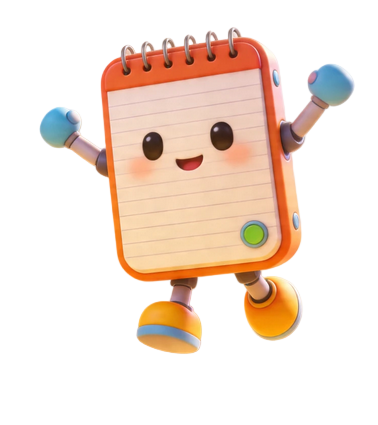
    Memo
    Memo

    A friendly helper offering hints along the way.

    Professor Patch
    Professor Patch

    Helps explain the thinking skills behind the challenges.

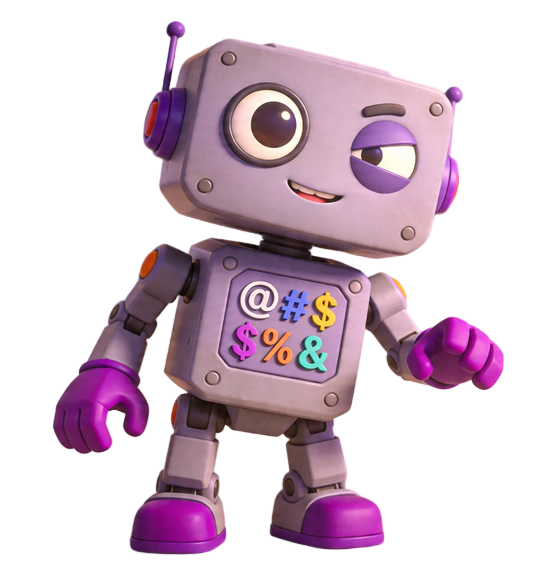
    Glitch
    Glitch

    A mischievous character who brings a little trouble to the adventure—and opportunities to spot what went wrong.

    WHO THIS IS FOR

    Who This Is For

    ThinkQuest Kids is designed for children ages 7–12 with different interests, experiences and levels of confidence.

    This may suit families with children who:

    enjoy puzzles, mysteries and challenges

    are naturally curious

    sometimes rush or miss steps

    feel unsure when facing unfamiliar problems

    would benefit from structured practice in logic, reasoning and problem-solving

    need short, low-prep learning activities

    benefit from meaningful screen time

    are learning at home or through homeschooling

    Your child’s age does not have to determine the difficulty. The quiz suggests a starting level based on your answers about their experience and confidence.

    Founder Note

    I built ThinkQuest Kids because problem-solving confidence is not something children either have or don’t have. It is something they build—with the right practice, the right encouragement and a chance to work things out for themselves.

    Every mission, every character and every hint was designed around one goal: helping all kinds of children—curious ones, cautious ones, confident ones and uncertain ones—learn how to get unstuck and keep going.

    I hope your child enjoys the adventure.

    — Joyce, Founder of ThinkQuest Kids

    Questions Parents Ask

    What age is ThinkQuest Kids designed for?
    ThinkQuest Kids is designed for children ages 7–12 with different interests, experiences and levels of confidence. Your child’s age does not have to determine the difficulty. The quiz suggests a starting level based on your answers about their experience and confidence.
    Do I need to sit with my child while they play?
    No. ThinkQuest Kids is designed for independent learning. Children receive guidance from our helper characters throughout each mission, so parents do not need to explain instructions or supervise each puzzle.
    What if my child gets stuck?
    Memo, our hint character, is always available to offer a guiding question rather than just giving the answer away. The goal is to help your child think it through, not think for them.
    How is this different from a coding app?
    ThinkQuest Kids does not teach coding. It builds the thinking skills that sit underneath coding and everything else — logic, sequencing, pattern recognition, debugging and problem-solving. These are skills children use every day at school and at home, not just in front of a screen.
    What devices does it work on?
    ThinkQuest Kids works in any modern browser on tablets, laptops and desktop computers. No app download is required.
    Is my child’s data safe?
    We take children’s privacy seriously. Our Children’s Privacy Notice explains what information we collect, how we use it and how parents can manage a child profile.
    Glitch

    You’ll Discover:

    01

    Which thinking skills may be most useful for your child to practise

    02

    Which learning format may suit your family best

    03

    How much guidance your child may need

    04

    What may affect your child’s engagement

    05

    A suggested starting point based on your child’s puzzle experience and confidence